

Who Are the Top Interactive Screen Suppliers in China?
Choosing an Interactive Screens supplier in China involves more than comparing prices or polished product photos. Buyers must examine touch accuracy, display brightness, operating-system support, warranty terms, and after-sales service. A screen that performs well in a showroom may behave differently under classroom glare or heavy daily use.
Don Norman, a leading design and human-computer interaction expert, wrote, “Design is really an act of communication, which means having a deep understanding of the person with whom the designer is communicating.” That principle matters here. Suppliers should understand where their screens will be used, who will operate them, and what software must run reliably. Ask for product specifications, sample testing, references, and clear warranty details. Check how the supplier handles firmware updates and replacement parts, too.
Small details count. A touch response that feels slightly slow can disrupt a lesson or meeting. So can unclear documentation. This guide looks at leading Chinese suppliers through practical criteria, including product range, customization, manufacturing capability, quality control, and support. It also highlights questions buyers should ask before placing an order.
There is no perfect shortlist. Supplier information changes, and a strong specification sheet does not prove long-term performance. That part deserves scrutiny. Use the comparisons as a starting point, then verify claims directly and test a sample in realistic conditions.
What Is an Interactive Screen and Where Is It Used?
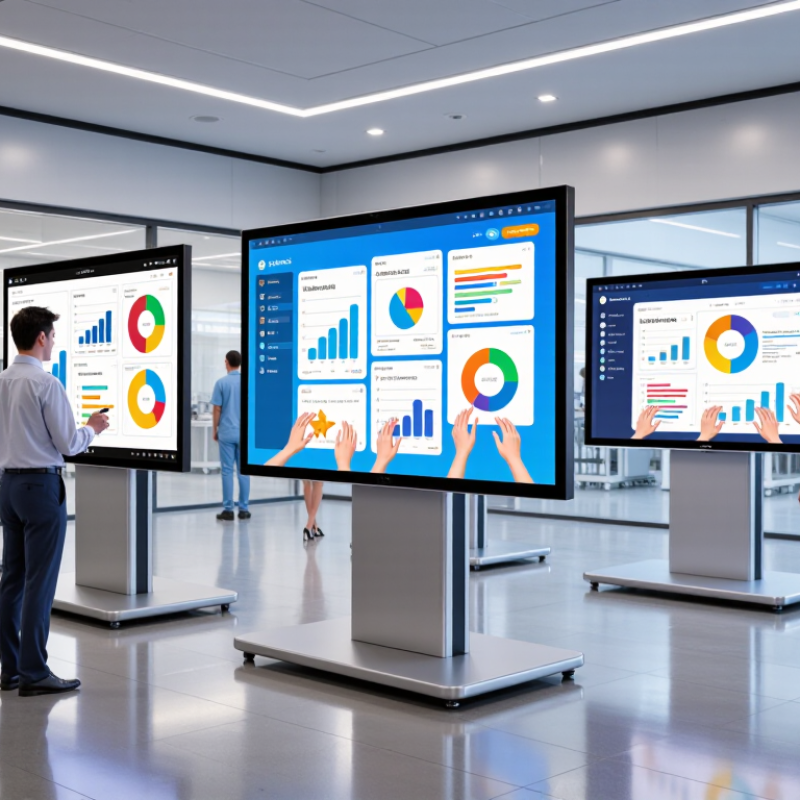
An interactive screen is a digital display that responds to touch or a compatible pen. It may include its own computing hardware or connect to a computer. Users can write, move objects, open files, and control on-screen tools directly. Simple actions matter: a teacher can circle a word, then save the marked lesson for students.
These screens are common in classrooms and meeting rooms. In a classroom, a teacher might enlarge a diagram and invite students to label it. In a meeting, colleagues can annotate a shared plan without passing around a laptop. Training centers, reception areas, and museums also use them for guided content, schedules, or maps. Still, the screen is not magic. A bright display can be hard to read beside a sunny window, and a laggy touch response quickly frustrates users. Before choosing one, check screen size, brightness, touch accuracy, connection options, and compatibility with the software people already use. A device may look impressive in a brief demonstration, yet feel awkward after a full day of teaching or collaboration. Placement and everyday usability deserve careful thought.
| Topic or supplier category | Typical products and capabilities | Common applications | Useful evaluation points |
|---|---|---|---|
| What is an interactive screen? | A display with a touch-sensitive surface that lets users control content directly, such as writing, selecting, annotating, or moving objects on screen. | Teaching, meetings, presentations, public information, retail, and control-room workflows. | Check touch accuracy, response time, supported gestures, software compatibility, and whether the product suits the intended environment. |
| Interactive flat-panel manufacturers | Integrated large-format displays, commonly offered in classroom and meeting-room sizes. Many models combine a display, touch system, speakers, and built-in computing functions; specifications vary by model. | Schools, training rooms, corporate meeting spaces, and presentation areas. | Compare screen size and resolution, brightness, touch-point support, operating-system options, warranty, and local service arrangements. |
| Touch-display and module suppliers | Touch-enabled display assemblies or components for integration into a finished product. Project specifications can differ in panel size, touch technology, interface, and enclosure design. | Self-service kiosks, information terminals, ticketing systems, and custom equipment. | Confirm mechanical drawings, interface requirements, operating conditions, sample availability, production consistency, and component lifecycle. |
| Digital-signage and kiosk integrators | Finished interactive systems that may combine a display, touch input, enclosure, computing hardware, and application software. | Retail directories, visitor registration, wayfinding, product browsing, and queue management. | Assess software and content-management needs, enclosure durability, installation method, remote management, and support response times. |
| Custom display solution providers | Project-based systems tailored to requirements such as unusual dimensions, mounting, connectivity, environmental protection, or integration with other equipment. | Exhibitions, museums, industrial interfaces, specialist training, and branded installations. | Request a written scope, prototype or sample plan, testing criteria, delivery schedule, spare-parts policy, and clearly defined acceptance terms. |
| Touch technology | Infrared and projected-capacitive touch are two commonly used approaches. The best fit depends on screen size, use conditions, design, and required touch behavior. | Infrared touch is often used on large interactive displays; projected-capacitive touch is common in many compact displays and kiosks. | Test performance with the expected input method, including fingers, gloves, styluses, ambient light, and frequent cleaning where relevant. |
| Education and collaboration use | Interactive screens can support handwriting, digital annotation, screen sharing, and presentation. Available tools depend on the hardware and software configuration. | Lessons, hybrid meetings, group workshops, and collaborative planning. | Check compatibility with existing computers, conferencing platforms, classroom tools, network policies, and accessibility requirements. |
| Procurement and verification | Supplier capabilities and product specifications vary. A product listing alone does not establish manufacturing capacity, certification, or performance for a specific project. | Applies to imports, direct sourcing, contract manufacturing, and system-integration projects. | Verify the legal supplier entity, product-specific test reports and certifications, sample quality, production process, warranty terms, and after-sales support before ordering. |
Specifications and capabilities are product- and project-dependent. Supplier categories are descriptive, not a ranked list of companies.